
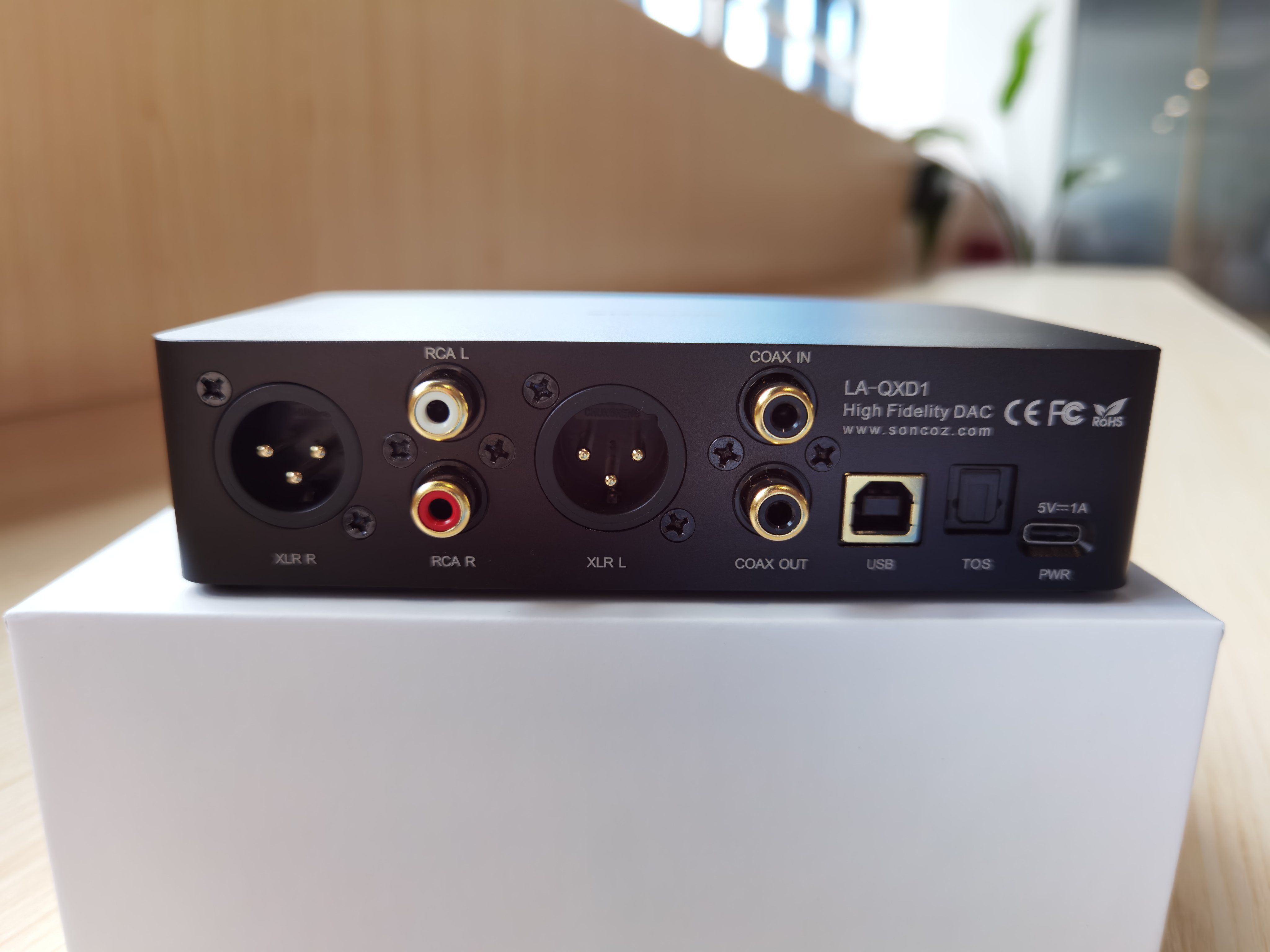
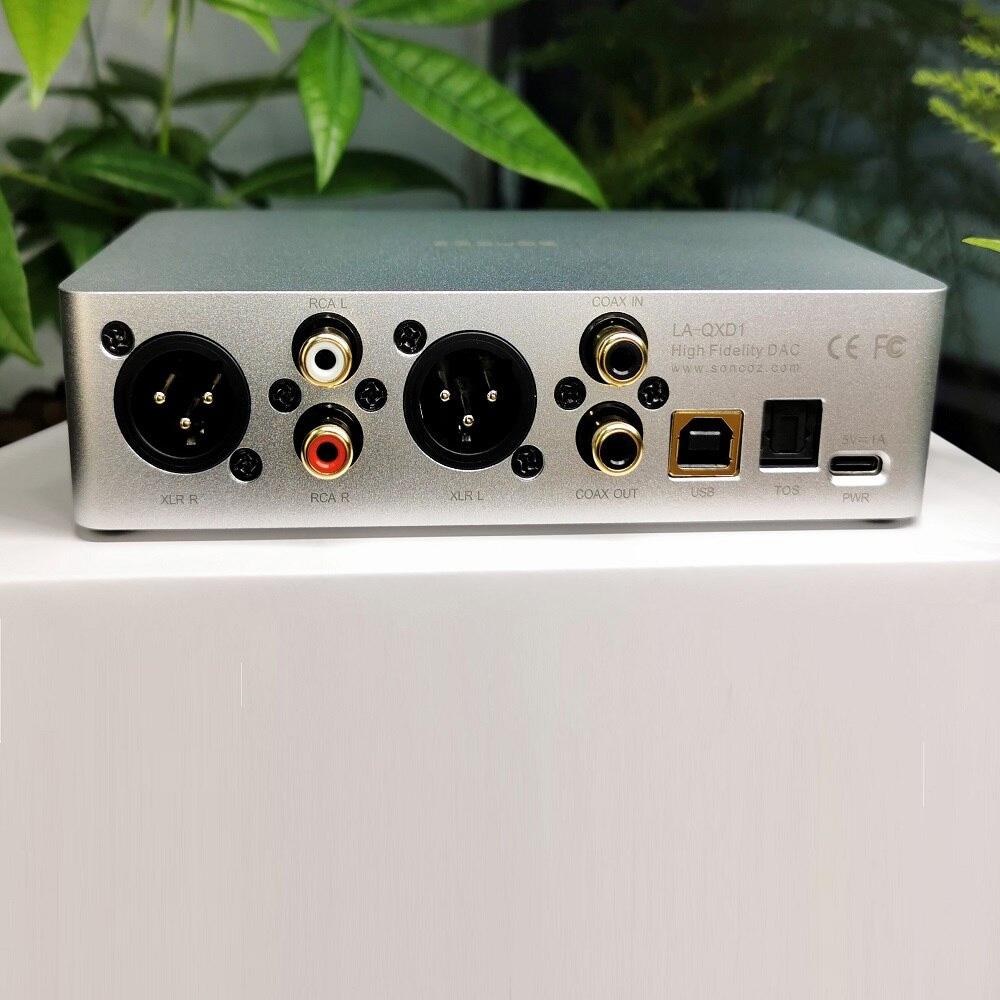
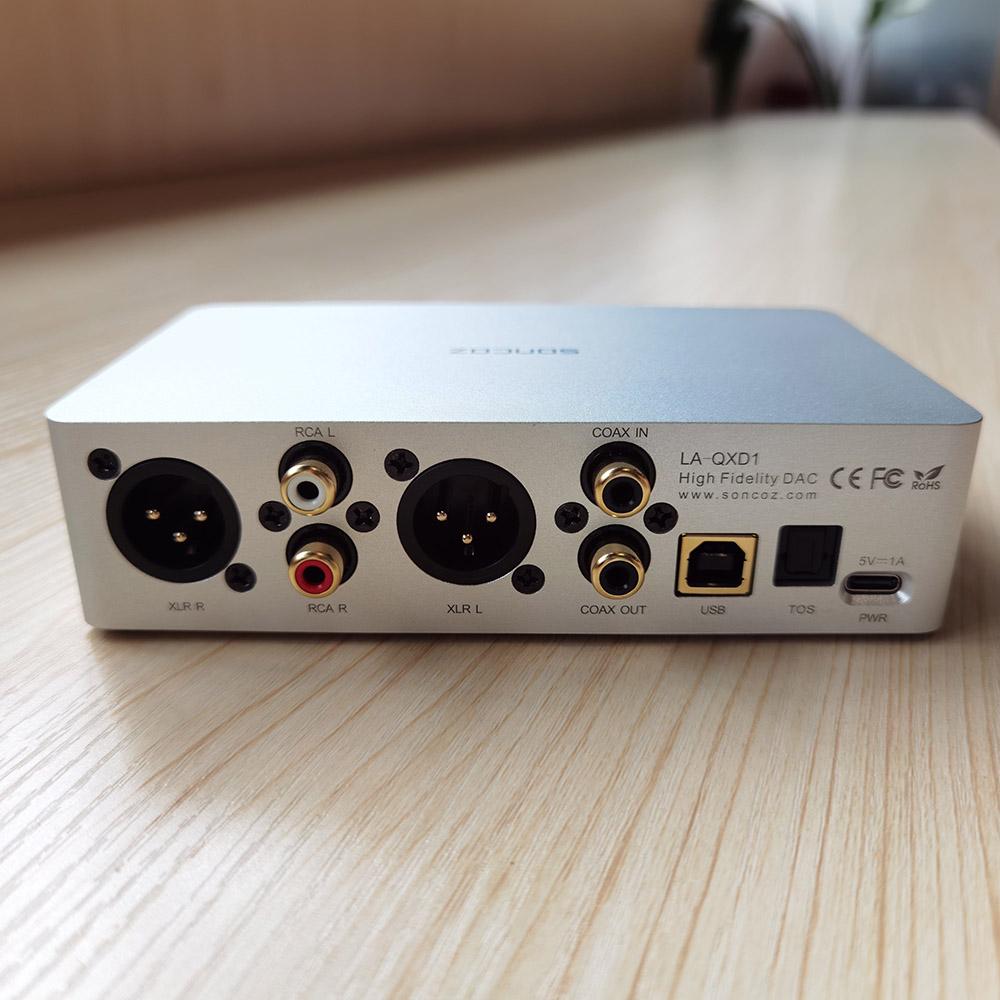
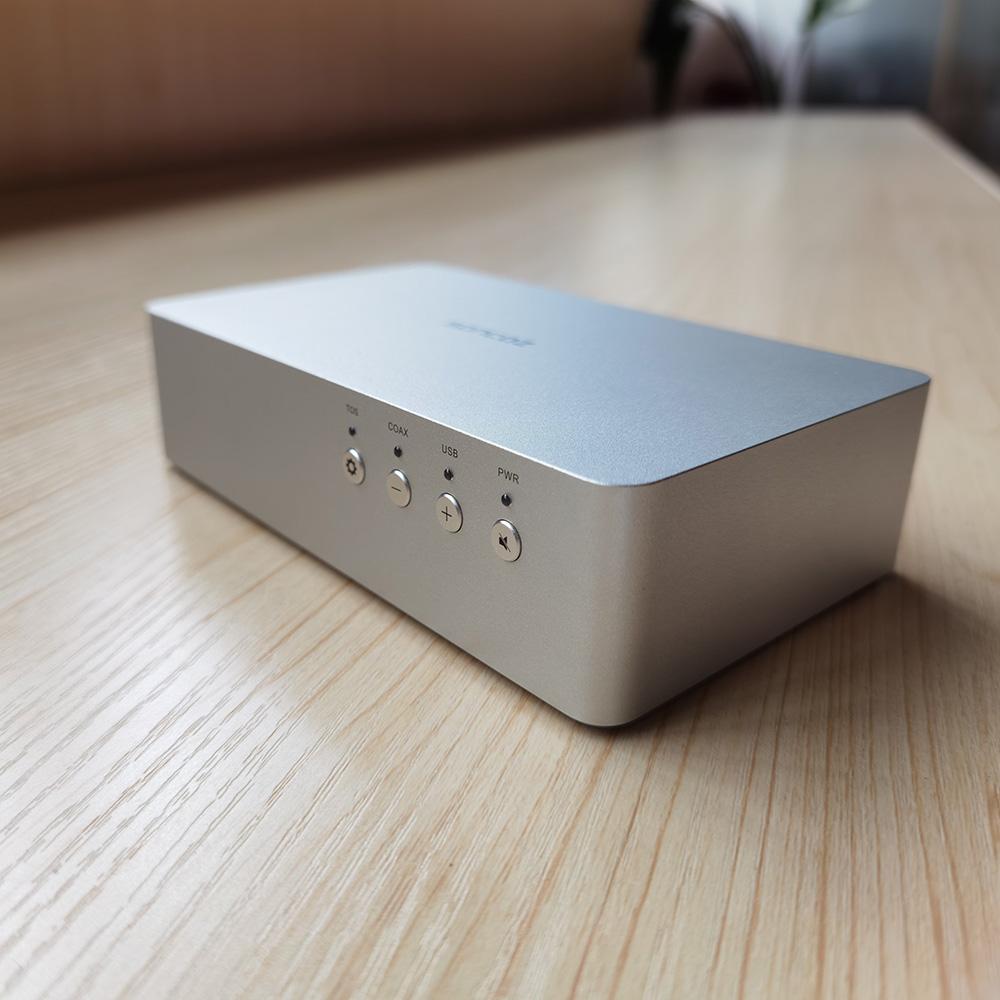
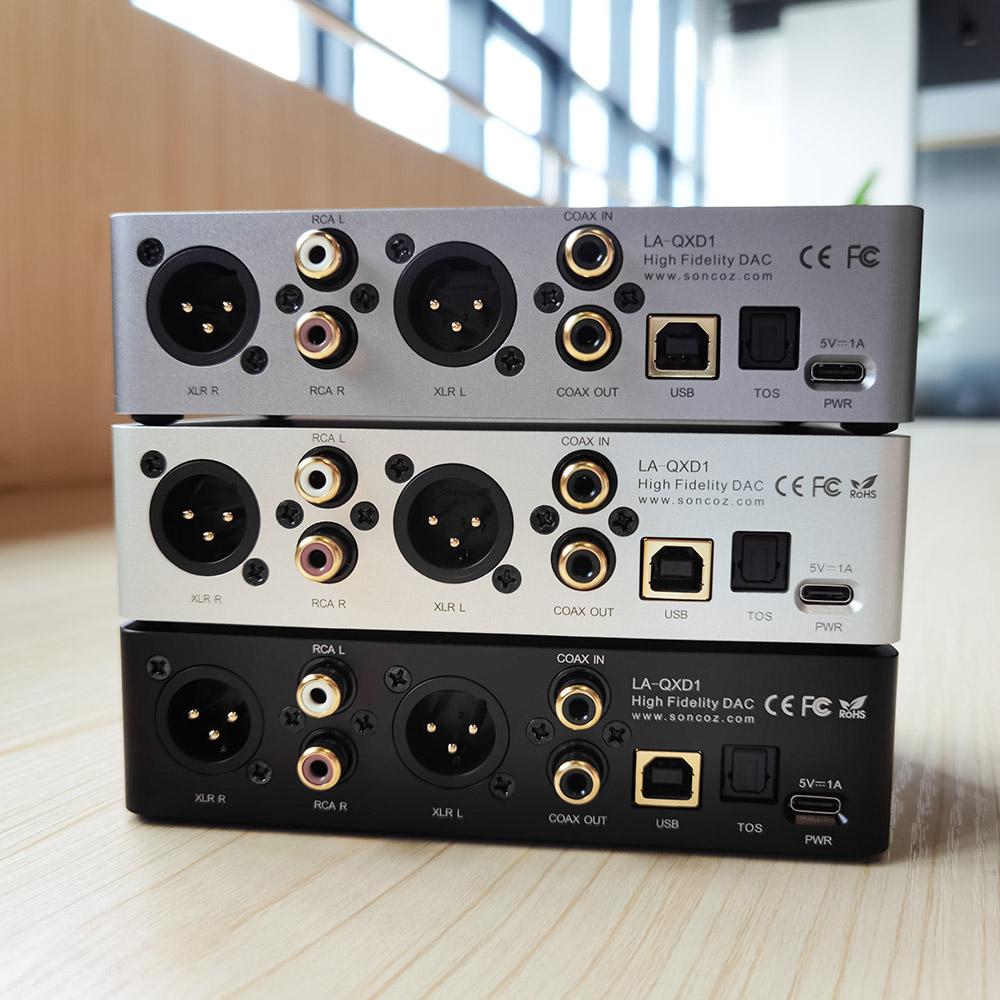
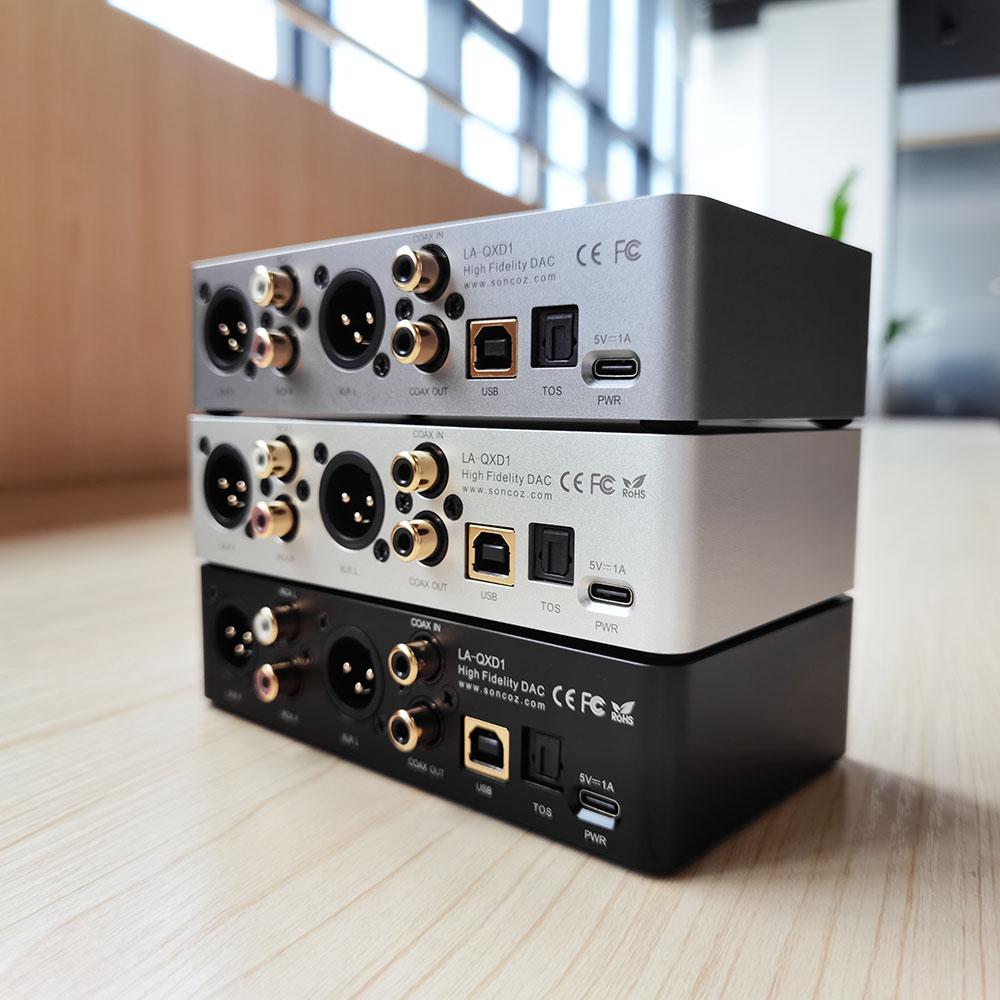





Soncoz LA-QXD1 Balanced DAC + RCA/XLR cables
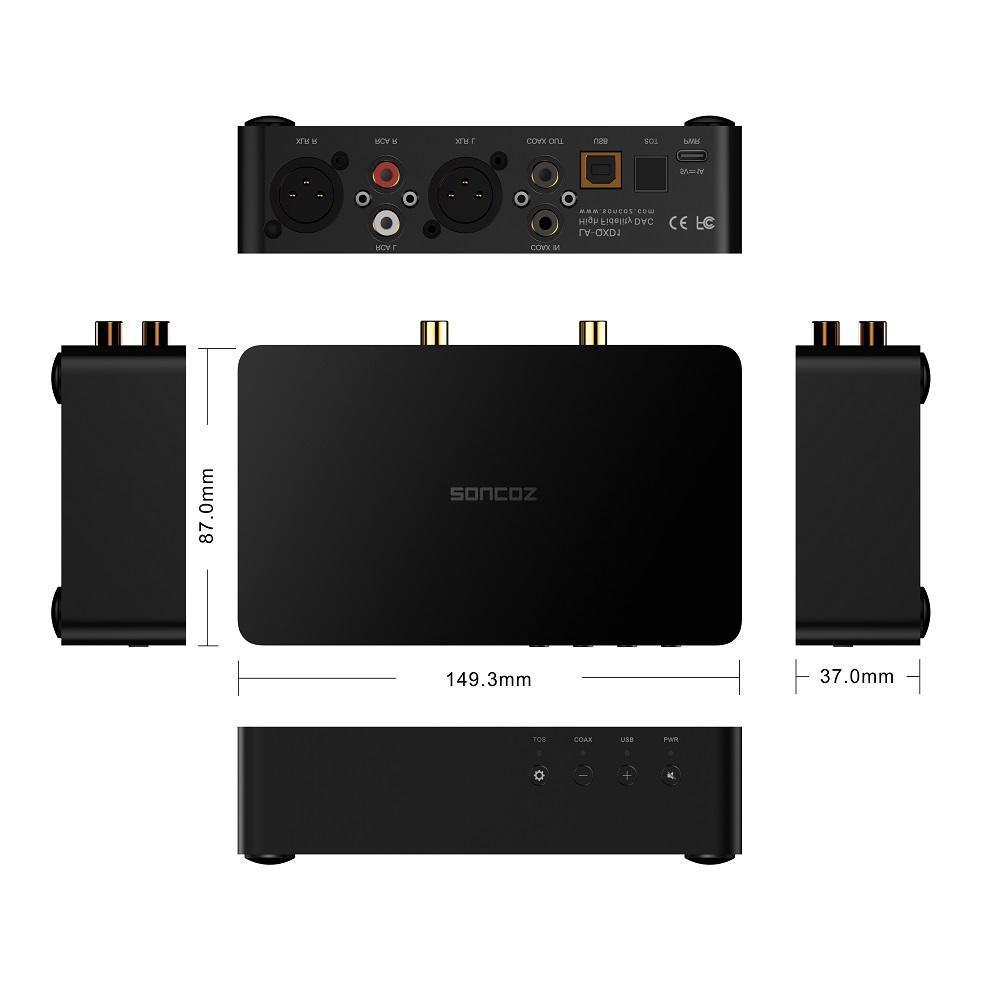
- Dimensions:149.3 mm(W) 87 mm(D) 37 mm(H)
- Weight:500 g
-
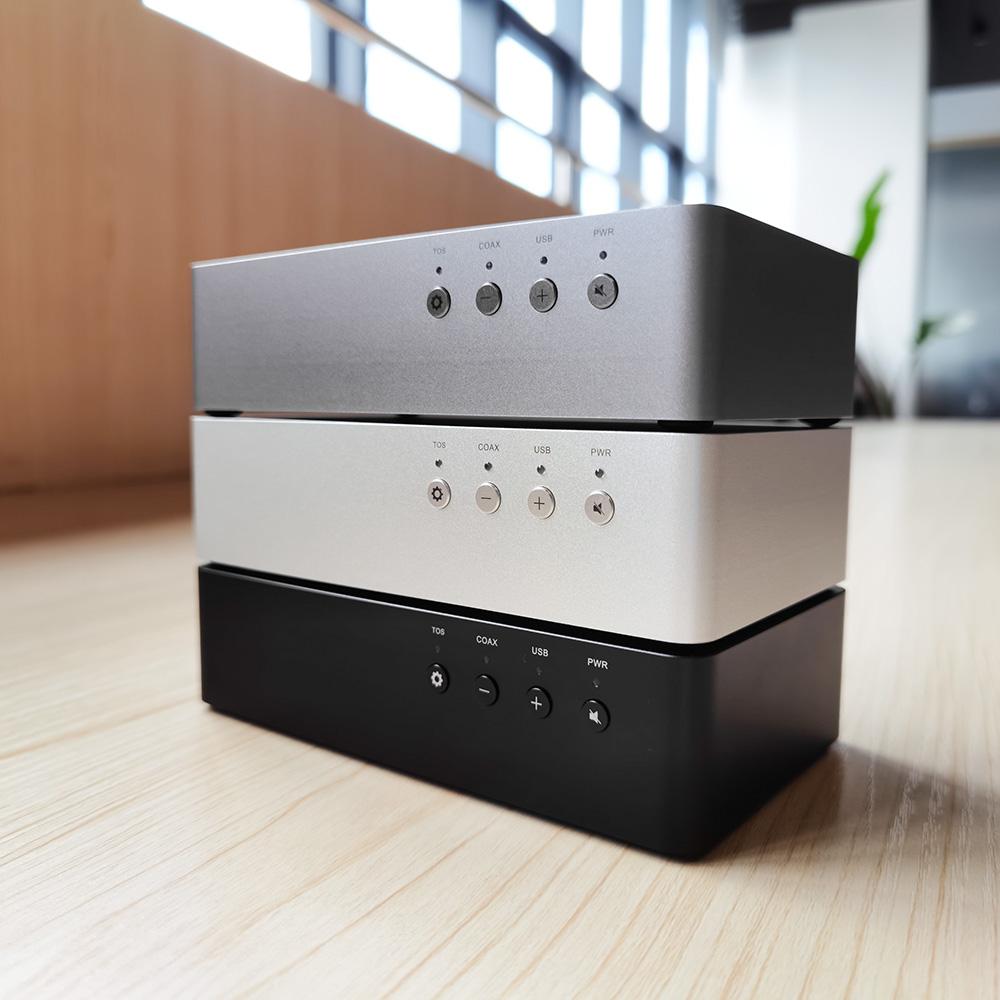
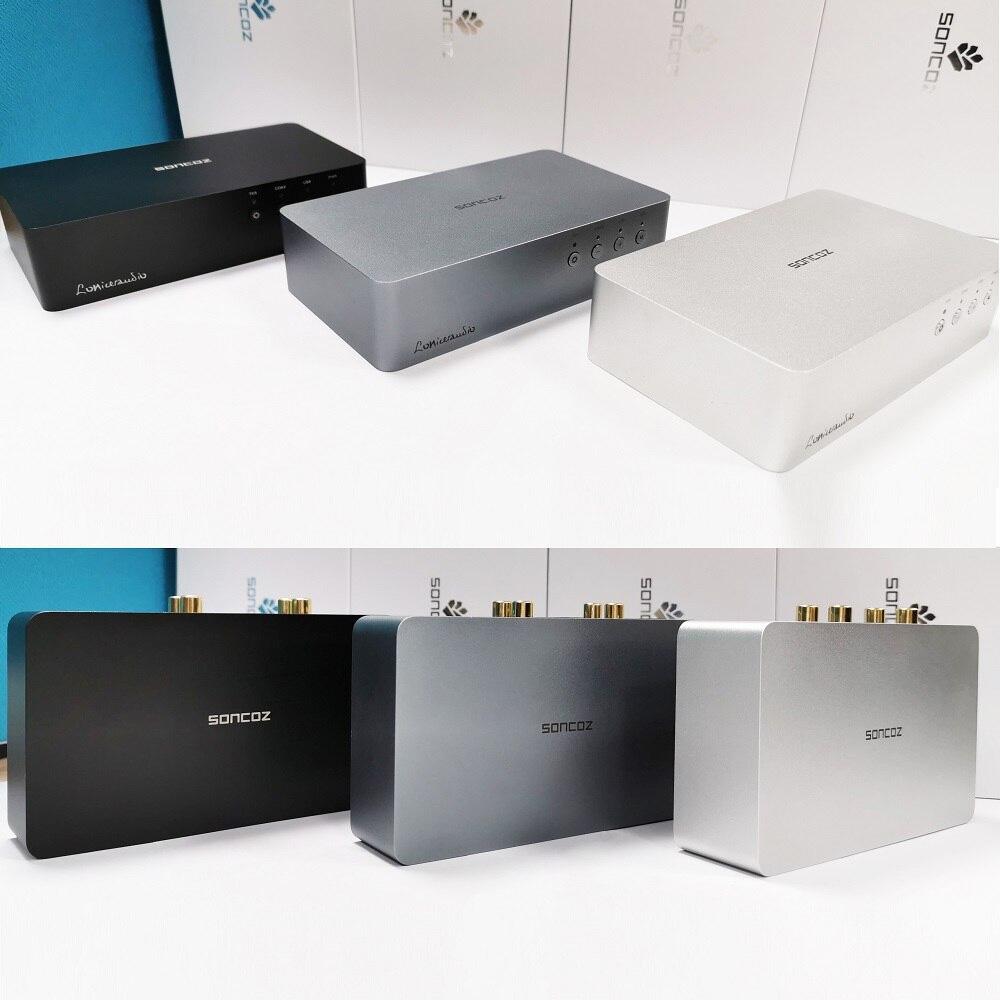
Color: Deep Black / Space Gray /Moon SIlver
-
Power input: DC 5 V @ 1 A
-
Power consumption: < 4 W
-
DAC Chip ESS ES9038Q2M
-
Architecture: Symmetrical
-
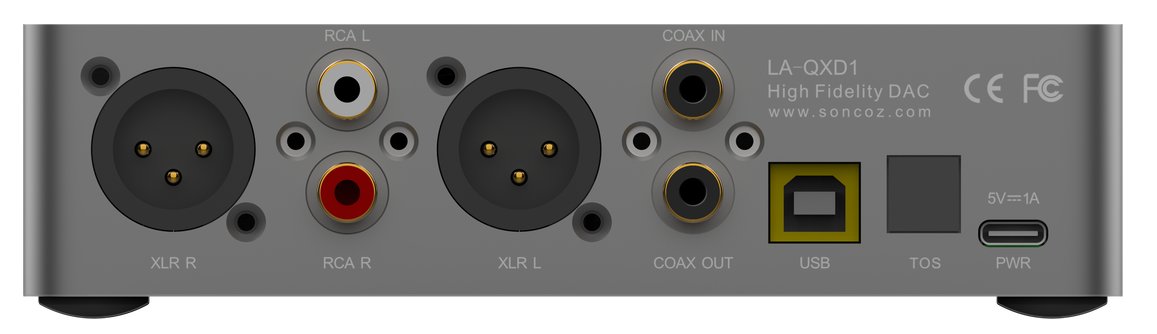
Signal input: USB-B / Toslink / RCA Coaxial
-
Digital output: RCA Coaxial
-
Line out: XLR / RCA
-
RCA: Coaxial input
-
Frequency response: 20Hz~20KHz XLR / RCA (±0.18 dB)
-
Dynamic range(DNR): A-W XLR > 122 dB; RCA > 122dB
-
Signal to noise ratio(SNR): A-W XLR > 121 dB; RCA > 121 dB
-
THD+N: 1 kHz XLR / RCA < 0.00014% (-117 dB)
-
Crosstalk: 1 kHz XLR > 133 dB; RCA > 130 dB
-
Output voltage: XLR 4.0 V; RCA 2.0 V
-
Output impedance: XLR 200 Ω; RCA 100 Ω
-
Noise floor modulation: 4.3 μVrms
---SpecificationsSplit---
-
1×0.35M SKW BG09 OCC XLR Cable ( more details here )
You also could order our Soncoz LA-QXD1 from our amazon store:
https://www.amazon.com/dp/B08NJK4FK7/
Unboxing
Review:
I really like to have balanced outputs in a DAC given the fact that they connect to a PC and hence, it is very easy to wind up with ground loops. Usually balanced output comes at a cost of higher price as it is considered a premium feature. Not the case here. You get XLR output and importantly, with superbly low noise and distortion for a really budget price. The nice case completes the picture.Given all of this, I am happy to recommend the Soncoz LA-QXD1 DAC." Amir Majidimehr (Amirm), Audio Science Review Read the full review here
Golden Ratio Dimensions
High Price To Performance Ratio, Several Colors
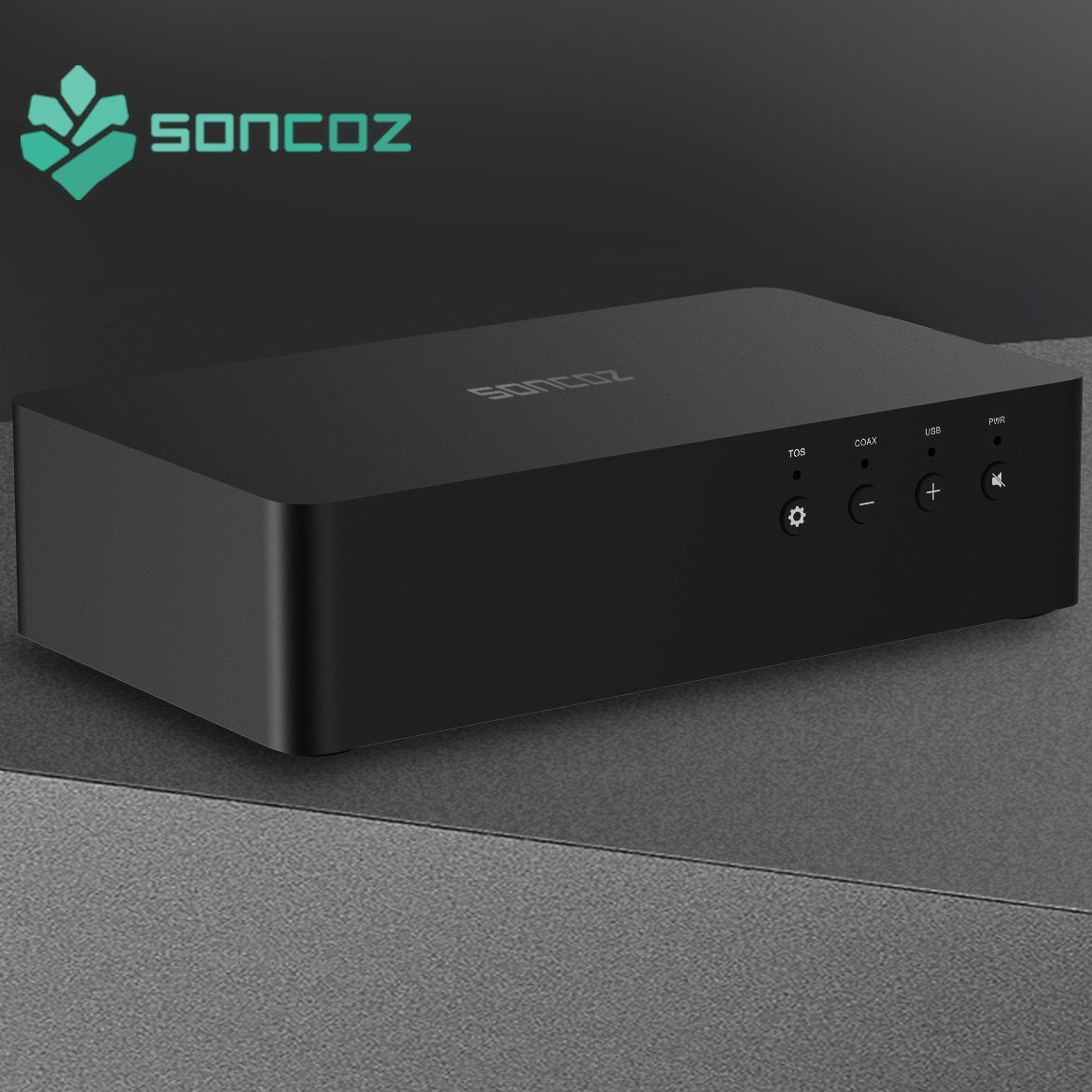
All metal minimalist design, CNC machined from a solid block of aluminum.
Interfaces & Functions
Gold-plated Balanced Analog XLR Output:
- Total Harmonic Distortion + Noise(THD+N): <-117 dB@1kHz
- Dynamic range : >122 dB
- Signal To Noise Ratio(SNR): >122 dB
- Frequency response : 20~20kHz(±0.15 dB)
- Channel Crosstalk : >141 dB
- Output impedance:200 Ω
- Output voltage : 4.0 Vrms @ 0dBFS
Gold-plated Single-ended Analog RCA (Red/Black) Output:
- Total Harmonic Distortion + Noise(THD+N): <-116 dB@1kHz
- Dynamic range : >121 dB
- Signal To Noise Ratio (SNR) : >120 dB
- Frequency response : 20~20kHz(±0.15 dB)
- Channel Crosstalk : >139 dB
- Output impedance:100 Ω
- Output voltage : 2.0 Vrms @ 0dBFS
- Noise Level(Noise floor modulation): 4.3 μVrms
Digital Input—— Gold-Plated USB-B
- USB input adopts a high-performance XU208 XMOS transceiver chip.
- Ultra-low jitter crystal oscillator provides a reference clock to all outputs.
- USB Supports 32-bit 768kHz PCM/DSD512(Native)
- Compatible with Windows/iOS/Android/Linux/Volumio
- Thesycon Custom USB Drivers
Digital input——Gold-plated RCA For the Coaxial Input
Supports up to 24-bit/192kHz digital audio input
An Ultra-low jitter crystal oscillator transmits the master clock signal to the DAC
Custom Audio Grade High-Speed Fiber Optic connectors for the Toslink input
- Supports up to 192kHz 24bit digital audio input.
- An Ultra-low jitter crystal oscillator transmits the master clock signal to the DAC.
Digital output —— Gold-plated RCA Digital Coaxial Output:
- Supports up to 24-bit/192kHz digital audio input
- Supports USB to Coaxial S/PDIF output.
-
Ultra-low jitter crystal oscillator for pure digital signal output.
Power supply and power consumption
Universal USB TYPE-C port for power input:
-
Power Input:DC 5V⎓1 (or more Amperes).
-
Users can use any brand charger or adapter.
-
Different power sources have almost no effect on the performance of the device.
-
Total power consumption is less than 4W.
Use & Operation
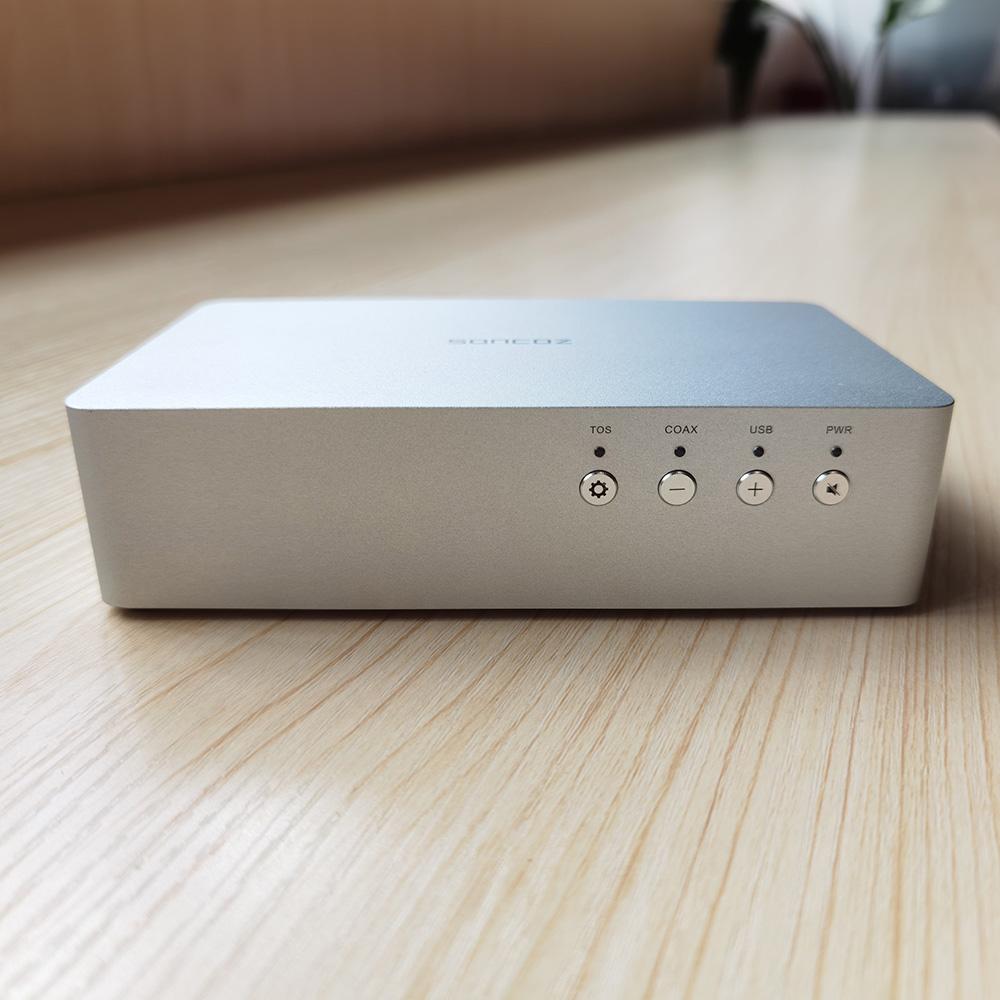
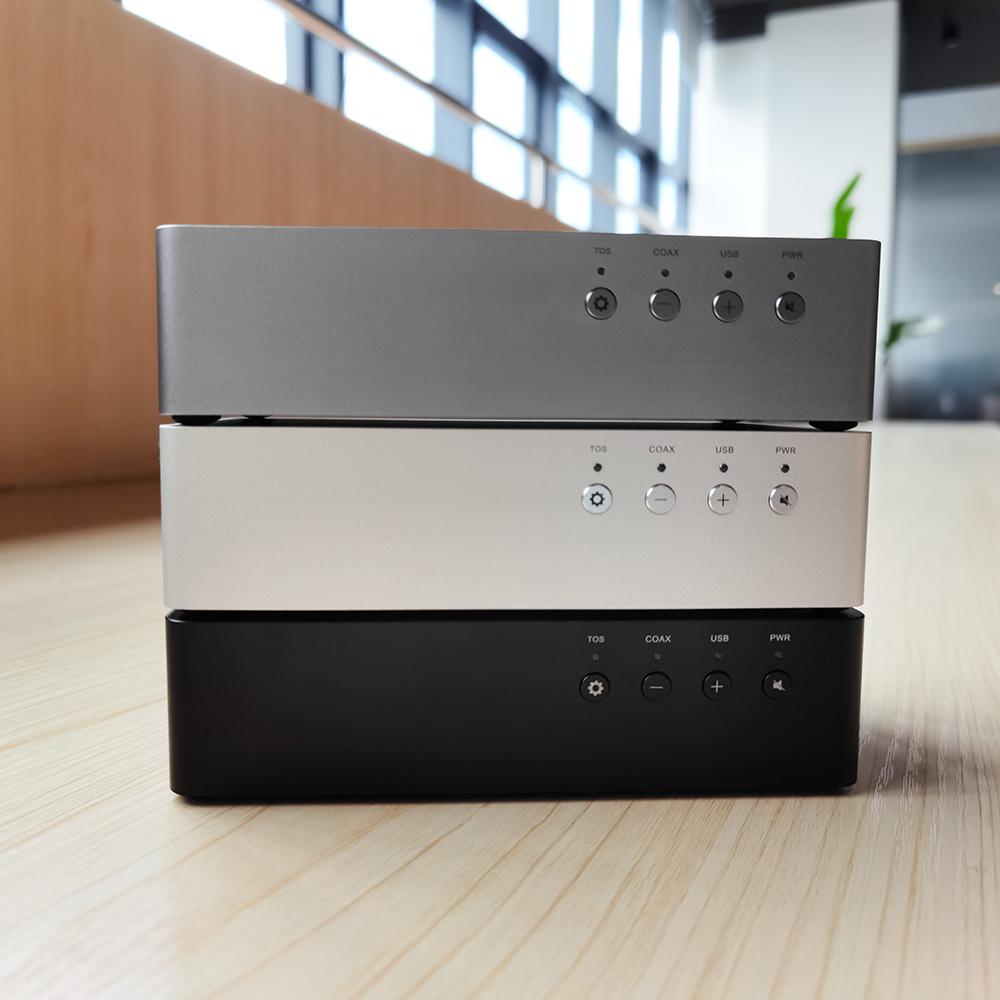
Front Panel
-
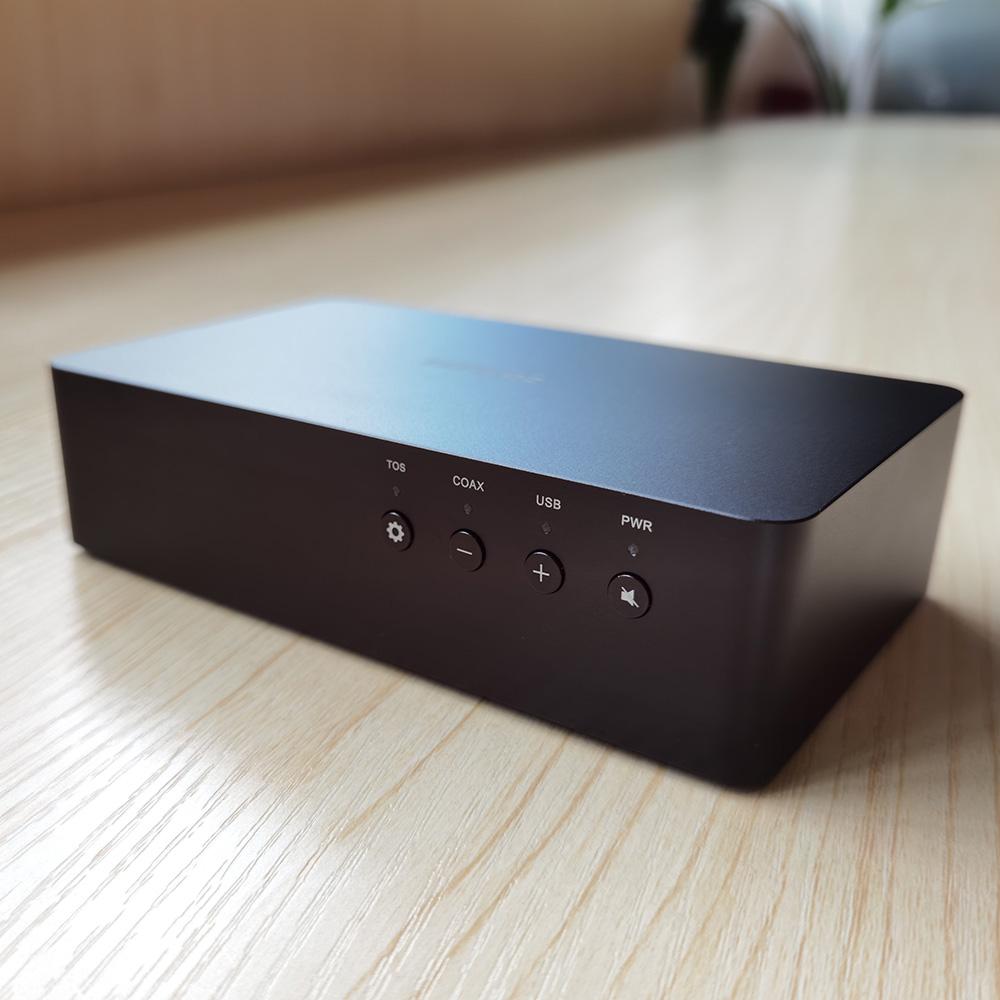
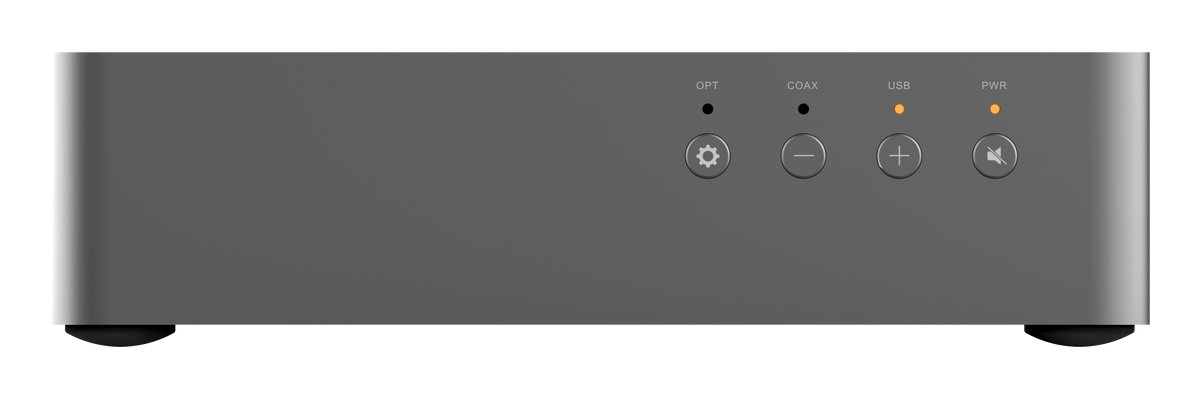
The front panel is simple and user-friendly. Straight forward and easy operation of the different functions.
-
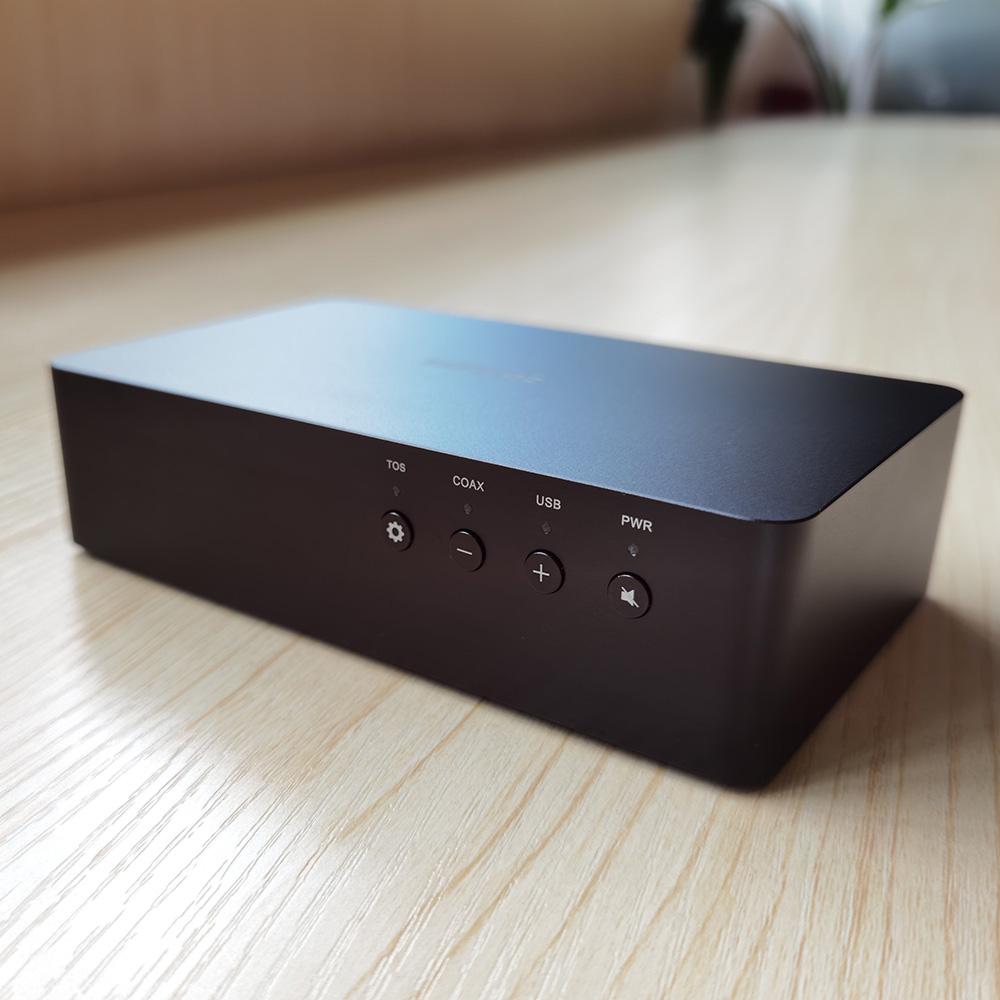
The upper right corner is the function indication area and includes four back-lit function buttons.
-
The four back-lit function buttons indicate and provide quick access to the following functions: input sound source selection, volume level adjustment, filter mode selection, and mute function.
Input source selection
3 Types of source input available,Press the settings button to easily switch between them:
The Default Power-ON State:
-
PWR & USB lights are on.
-
USB port input,Filter mode is APOD.
-
USB to digital coaxial is on, Volume (-64dB)
-
Quickly press the leftmost setting button once to switch between the three input sources (USB/COAX/TOS).
Filter Modes
7 Filter modes are available for PCM:
-
Press and hold for 2 seconds, the mute button on the right to switch the filter mode. Each press changes the filter mode only once, press and hold the mute button again for 2 seconds to switch to the next filter mode, and so on.
-
For the current filter mode, please refer to 《LA-QXD1 DAC filter mode setting truth table》
-
Filter modes cycling switch order (APOD-BRIC-FAM- FAL-HYER-SLM-SLL-APOD)
-
Apodizing fast roll-off filter — APOD
-
Brick wall filter — BRIC
-
Minimum phase fast roll-off filter — FAM
-
Linear phase fast roll-off filter — FAL
-
Hybrid fast roll-off filter — HYER
Volume and Mute
The volume can be adjusted in one of two ways, by a pressing and holding the volume button to change the volume in big steps quickly, or by a quick press for fine-grained volume adjustments:
-
The default volume is -64dB, the volume adjustment step is 0.5dB/Step, and the maximum volume is 0dB.
-
Press and hold the volume "+"/"-" buttons to adjust the volume quickly. When changing the volume, the light above the corresponding button will start repeatedly blinking. When the volume reaches the minimum or maximum level, the indicator light will stop flashing.
-
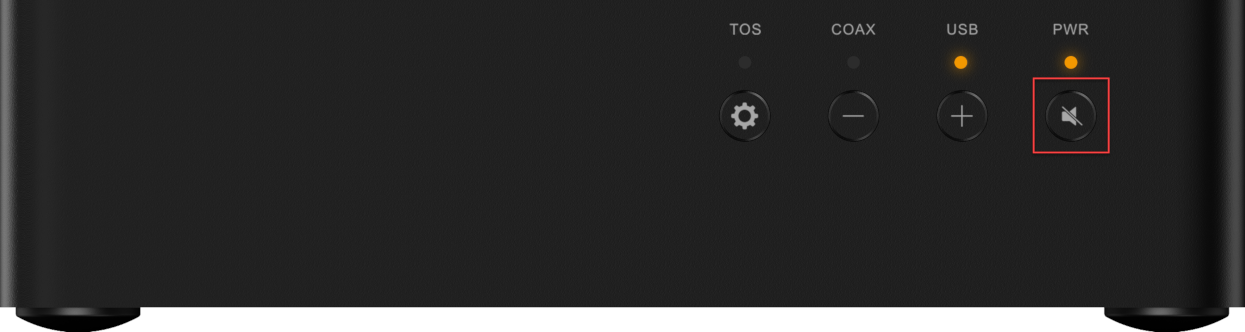
Quickly press the mute button to turn on the mute function, the light above the PWR button will start glowing in a breathing effect to indicate that the device is mute. To turn the mute off, quickly press the mute button again.
Miscellaneous
The LA-QXD1 is a multifunctional DAC, in addition to the features and settings mentioned earlier, there are some precautions:
-
Analog balanced XLR and single-ended RCA outputs can be connected at the same time,The The two interfaces can be simultaneously connected to their corresponding power amplifier devices (amplifier/power amplifier).
-
LA-QXD1 is a high-performance DAC that can also be used as an excellent Pre-amp.
-
The DAC’s internal modulator, filters, and volume control cannot be bypassed. These functions are determined by the DAC chip.
-
LA-QXD1 can be easily used in pure DAC mode,to do so, simply raise the volume to the maximum.
-
The Volume adjustment and mute functions are only valid for the analog outputs. They are not valid for digital output.
-
During DSD playback, the DSD audio signal is sent directly to the DSD decoding chip without any prior conversion.
-
Custom USB driver,supports up PCM768KHz/DSD512(Native),Drivers are not required for the device's functionality. If you use the operating system's native USB Audio 2.0 Drivers (UAC2), Some formats and high sample rates may not be available for playback.
-
Do not use the USB ports of the PC to supply power to the DAC. The USB port of the PC has an average current of around 500mA, which is not enough to support the normal functions of the LA-QXD1.
Thermal design
-
The power consumption of the LA-QXD1 device is very low. The low energy consumption combined with the CNC machined aluminum body results in a high heat dissipation efficiency.
-
Keeping in mind that if used in conjunction with other devices, the overall heat dissipation may not necessarily be the best. Multiple ventilation holes were implemented on the underside of the LA-QXD1, to provide excellent cooling and ensures thermal stability. This thermal design guarantees the highest performance levels under a variety of harsh environmental conditions.
Ultra-Low Noise HiFi Power Supply System
The LA-QXD1 power supply system utilizes a unique multi-level voltage regulator design to ensure a clean & pure power supply that guarantees the performance of the entire device.
-
Power input uses USB Type-C 5V@1A,Practical and convenient
-
The Analog op-amp power supply utilizes multi-level voltage regulation.
-
The power for the DAC’s digital section is supplied by an ultra-low noise LDO.
-
The DAC's analog power supply uses ES9311Q ultra-low noise LDO and multi-level voltage regulator.
High-Performance Chips
LA-QXD1 utilizes individually selected chips that each offer excellent performance to ensure the outstanding performance of the entire device.
Minimal Interaction, Warm Color Indicators
-
The intuitive interaction of the LA-QXD1 is applied to simple and straightforward buttons and LEDs. By default, it is a plug-and-play device without any complicated settings.
-
The indicator lights follow the color pattern of the indicator lights of the SONCOZ brand series of products. The warm, non-glaring, glowing orange light perfectly blends into the ambiance and relaxing atmosphere of enjoying music at night.
-
The mute breathing effect, along with the fade-in/fade-out effect (The gradual return of the volume to its previous level after pressing unmute), greatly enhance the user experience of the LA-QXD1.
Measured Parameters
XLR Balanced Output Distortion+Noise (THD+N)
Single-Ended Distortion+Noise (THD+N)
Dynamic Range
SNR (Signal To Noise Ratio)
Noise (Noise Floor Modulation)
Frequency Response
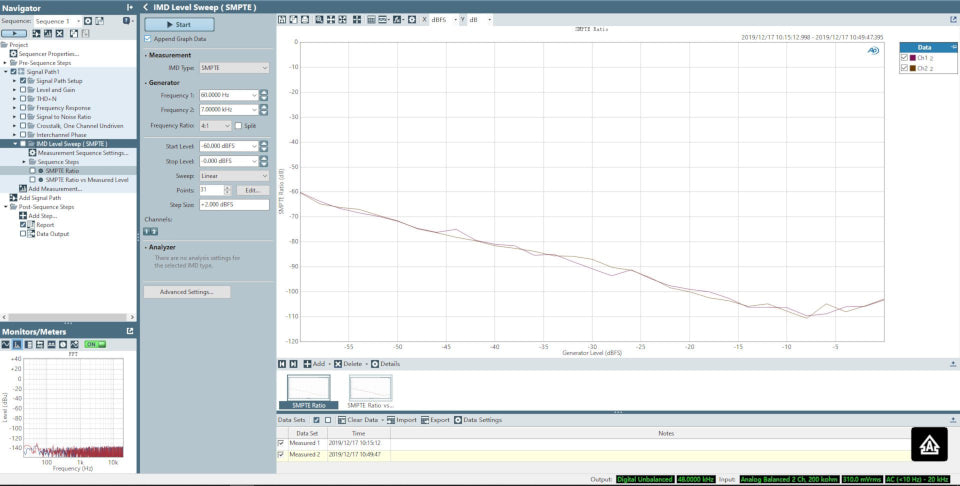
Intermodulation Distortion (IMD)
USB interface & S / PDIF interface
Simple and accessible control panel
- Dimensions:149.3 mm(W) 87 mm(D) 37 mm(H)
- Weight:500 g
-
Color: Deep Black / Space Gray /Moon SIlver
-
Power input: DC 5 V @ 1 A
-
Power consumption: < 4 W
-
DAC Chip ESS ES9038Q2M
-
Architecture: Symmetrical
-
Signal input: USB-B / Toslink / RCA Coaxial
-
Digital output: RCA Coaxial
-
Line out: XLR / RCA
-
RCA: Coaxial input
-
Frequency response: 20Hz~20KHz XLR / RCA (±0.18 dB)
-
Dynamic range(DNR): A-W XLR > 122 dB; RCA > 122dB
-
Signal to noise ratio(SNR): A-W XLR > 121 dB; RCA > 121 dB
-
THD+N: 1 kHz XLR / RCA < 0.00014% (-117 dB)
-
Crosstalk: 1 kHz XLR > 133 dB; RCA > 130 dB
-
Output voltage: XLR 4.0 V; RCA 2.0 V
-
Output impedance: XLR 200 Ω; RCA 100 Ω
-
Noise floor modulation: 4.3 μVrms
---SpecificationsSplit---
-
1×0.35M SKW BG09 OCC XLR Cable ( more details here )
You also could order our Soncoz LA-QXD1 from our amazon store:
https://www.amazon.com/dp/B08NJK4FK7/
Unboxing
Review:
I really like to have balanced outputs in a DAC given the fact that they connect to a PC and hence, it is very easy to wind up with ground loops. Usually balanced output comes at a cost of higher price as it is considered a premium feature. Not the case here. You get XLR output and importantly, with superbly low noise and distortion for a really budget price. The nice case completes the picture.Given all of this, I am happy to recommend the Soncoz LA-QXD1 DAC." Amir Majidimehr (Amirm), Audio Science Review Read the full review here
Questions & Answers
Have a Question?
-
Will this work with Linux?
Yes, LA-QXD1 is UAC2 compliant, so it will work with Linux without any drivers.
Ben1987 said:
Download DFU files from HERE, and after unzipping, you'll find two files "LA-QXD1 Maximum Volume with Hardware Control DFU_V304.bin" and "LA-QXD1 Minimum Volume DFU_V303.bin".
Change log:2020-06-18
Fixed occasional no - output issues.
Notice:
1. "LA-QXD1 Minimum Volume DFU_V303.bin" is default factory firmware version and without hardware volume control;
2. "LA-QXD1 Maximum Volume with Hardware Control DFU_V304.bin" is maxed volume output firmware with hardware volume control -
Does this support 24bit / 192kHz sampling rate?
Yes.
-
I have a question. Is it possible to turn off the lights or even the whole unit?
LA-QXD1 is plug-and-play and has no switch. If you want to turn off the lights, you can only unplug the power cord connected to the machine.
-
Is the digital output a pass-through or regenerated output?
USB to SPDIF regenerated digital output.
-
How can I power the LA-QXD1 DAC on/off? Will just stay powered on indefinitely if I don\'t unplug it?
There is no "power on/off" switch for the LA-QXD1 DAC; the power indicator is just to show it has power. The LA-QXD1 DAC is plug-and-play and uses less than 4 watts.
-
Does it have auto on/off like when it detects input from USB? At the very least auto-standby?
Not at the moment.
-
Does it remember the volume level on a soft power-off?
LA-QXD1 does not remember the volume. We provide different firmware with the default volume. The factory setting volume is currently the minimum volume.
-
Does SINAD change over time (and with warmth)?
Our test results show that it won't change.
-
What\'s the purpose of these downloadable drivers?
Mainly to support music with higher specifications, such as DSD512 and PCM768KHz.
-
Do the LA-QXD1 and SGD1 have the same filter modes?
Yes,both SGD1 and LA-QXD1 have the same filter modes.
-
Do the volume buttons work on the USB input only? Or also Coax/Toslink in?
The volume buttons work on all inputs, USB/Coax/Toslink.
-
Does the performance of the DAC change over time (due to temperature)?
No, The performance of the LA-QXD1 is stable over time.
-
What is the output impedance of the LA-QXD1?
Output impedance: 200 Ohms XLR/ 100 Ohms RCA
-
Can the LA-QXD1 safely be powered on 24/7?
Yes
-
Does the LA-QXD1 remember the volume if it is powered on/off?
LA-QXD1 can't remember volume if it is powered off.
-
When powering on the DAC, it will default to the USB input, and you then have to press the input selector to use the coaxial input?
Yes, correct.
-
Will it remember this volume setting if it is powered off and back on? (If not it is not DAC mode)
LA-QXD1 can't remember volume if it is powered off.
-
Can I output sound to two different amplifiers at the same time?
This risk is not recommended.
-
Is it possible to disable volume control and have pure direct DAC use with LA-QXD1?
Turning up the volume to the maximum is a pure DAC application.
-
Just to make sure I understand correctly, does this mean that when the LA-QXD1 is switched on, it will default to the USB input, and you then have to press the input selector to use the coaxial/SPDIF input?
Yes, correct.
-
On the previous model, if there was no input on USB and there is input on SPDIF, then the SPDIF signal is used. Would the same happen on the QXD1?
Unfortunately, no, you need to switch to the coaxial input manually.
-
What happens if nothing is connected to USB, and there\'s a signal on the SPDIF input - does the LA-QXD1 automatically switch to SPDIF?
No, you have to switch the input source selection manually.
-
If I have SPDIF Coax selected as an input, switch the DAC off, will it go back to SPDIF Coax when switched back on?
The LA-QXD1 doesn't remember the input settings when powered off/on.
-
Does the unit remember the source input setting when switched off/on?
The LA-QXD1 doesn't remember.
-
Will it be possible to play music from a MacBook or an iPhone?
Yes, of course.
-
If the power supply to the unit is switched off (rather than using the PWR button), will it switch on when the power supply is switched back on?
Yes, it will switch on.
-
Does just one USB 2.0 port power the unit or require an external power bank?
It requires an external power bank or adapter via USB TYPE C and USB-B just for USB audio.
-
Is there a sound quality difference between the LA-QXD1 and the SGD1?
It will be different. Different power supply and DAC architectures and different capacitance choices will bring different sound quality!But the difference is not unusually large.
-
Does the LA-QXD1 DAC or SGD1 turn off automatically if nothing is playing for a while?
SGD1 goes into standby mode after about 10 minutes on mute (when you're not listening to music to take a break or answer an urgent phone call). LA-QXD1 has no standby function for the moment, and we will consider upgrading the software to implement it later.
-
Can I connect my LA-QXD1 DAC using a JTAG connector and modify its firmware?
LA-QXD1 is a complete device with a JTAG connector, but we don't currently support DIY services, so if you're interested, you can try secondary development on the LA-QXD1 DAC.
-
What is the power supply voltage of the op-amps used in the LA-QXD1 DAC?
±12V/±15V.
-
What is the type of op-amp used at the output of the LA-QXD1 DAC?
TI OPA1612 for I/V and "RICORE TECHNOLOGY" RT6863S for LPF.
-
What DAC chip is used in the LA-QXD1?
Single ESS ES9038Q2M DAC chip.
-
Will the unit save the last settings (input, volume, filter selection) when fully powered off?
No. The LA-QXD1 does not remember the volume of the input. The SGD1 does remember the volume of the input channel.
-
Is this hard-coded in the chip? Some DAC chips can be programmed for sync mode.
The LA-QXD1 uses an external clock and a PLL inside the DAC, with no open sync clock switching mode.
-
Can the LA-QXD1 DAC chip be clocked from SPDIF? And if so, Is there a possibility of a custom DFU that enables sync mode?
The SPDIF input of the LA-QXD1 DAC uses the Asynchronous clock scheme.
-
Are PCM705.6, and PCM768 kHz are both supported on the LA-QXD1 DAC?
Yes.
-
What sample rates are supported on the USB input for each PCM and DSD?
The LA-QXD1 DAC supports PCM on its USB input, with sample rates up to 768kHz. DSD material "Natively "up to DSD512.
-
Can the LA-QXD1 decode native DSD material?
Yes, the LA-QXD1 DAC can decode PCM up to 768kHz & DSD up to DSD512.(Native).
-
Is the XLR output of the LA-QXD1 fully balanced?
Yes, The XLR output of the LA-QXD1 is fully balanced.
-
How can I connect my LA-QXD1 to my Playstation 4?
You can connect your LA-QXD1 to your TV using the optical (TOSLINK) output.
-
How can I connect my LA-QXD1 to my TV?
You can connect your LA-QXD1 to your TV using the optical (TOSLINK) output.
-
What is the difference between using the SONCOZ LA-QXD1 single-ended (RCA) and balanced XLR outputs?
The output voltage is 4V on XLR vs. 2V on RCA, Balanced XLR also rejects common-mode noise so avoids ground loops.
-
Can I use the LA-QXD1 DAC as a USB to Coaxial converter? Can it convert from any digital input to Coax?
Yes, the SONCOZ LA-QXD1 can also function as an excellent USB to COAX converter, but it can only convert from USB digital input to digital Coaxial output.
-
Is the volume adjustable? The output variable or fixed?
The output is variable, and the volume can be easily adjusted using the buttons on the front.
-
Does the LA-QXD1 DAC have any on/off noises? Does it emit any noise when turning on/off?
No, The SONCOZ LA-QXD1 and SGD1 DACs all have POP free circuits and are optimized to eliminate all on/off noises.
-
Why can\'t I power the LA-QXD1 DAC using a USB port?
The reason a USB port can't power the device is because the limit of USB port power.
-
How much power does the LA-QXD1 DAC consume?
The power consumption of the whole DAC is less than 4 watts.
-
Does the LA-QXD1 DAC require 2 Ampere input?
Actually, no, the power consumption of the whole LA-QXD1 DAC is less than 4 watts.
-
Can I Power up the LA-QXD1 using a power bank and use it as a portable DAC?
Yes, Please make sure that the power bank outputs 5V and two or more Amperes.
-
My power supply is 5V, but more than 2A, Is this okay to use with my LA-QXD1 DAC?
Yes, More than 1A is fine, the LA-QXD1 DAC will draw the power it requires. Please make sure that the power supply supplies only 5V.
-
Do I need to use a Linear power supply? Will it improve performance?
No, using a linear power supply will not improve the performance.
-
My LA-QXD1 has 2 USB ports, Which one is used for Audio & which for power?
For LA-QXD1, USB C for power supply and USB B for USB audio.
-
Will a bigger/better power supply help improve the sound?
No, the LA-QXD1 will only use 5V/2A.
-
What power adapter is it recommended to use? Minimum requirements? I do not want to feed it from my noisy USB ports.
For adapters, LA-QXD1 has no special requirements(Multiple adapters have been tested, If you want to feel better, you can use power bank ), as long as it can steadily output more than 5V2A power adapter. A regular phone adapter is the right choice, and It is not recommended to use the USB interface of the computer, mainly because the power may not be enough(5V@500mA). The internal amplifier circuit of LA-QXD1 has a positive and negative voltage booster circuit, and the external start power supply should ensure 5V1A. Otherwise, the circuit may be unstable. BTW, the power consumption of LA-QXD1 in regular operation is about 3.8W.
-
Which power supply is best for powering my LA-QXD1 DAC?
Any 5V/2A is adequate.
-
What is the default volume level of the LA-QXD1 DAC?
We have two firmware available for the LA-QXD1 DAC, one sets the default volume to minimum, another to the maximum.
-
What\'s the difference between the LA-QXD1 and SGD1?
The SGD1 has the following added features. Dual ESS ES9038Q2M DAC chips. Front Panel screen. Volume knob with a color indicator. AES and USB C inputs. Different chassis. Better user interface. AKM AK4118 SPDIF receiver chip. Internal power supply. Remote control. Bluetooth 5.0. Over the air (OTA) firmware upgrades using wifi or hotspot. Better performance measurements (Higher SINAD, Lower THD+N, Channel Crosstalk). The LA-QXD1 can be used as a portable DAC, easily powered using a power bank. Both SONCOZ DACs have excellent balanced (XLR), single-ended (RCA) outputs, digital coaxial outputs, and hardware volume control. In sound quality, their much difference with the big brother SGD1? It will be different. Different power supply, DAC architectures, and different capacitance choices will bring different sound quality!But the difference is not unusually large.
-
How many outputs does the LA-QXD1 DAC have?
The LA-QXD1 DAC has one gold-plated RCA output, one gold-plated XLR balanced output, and one gold-plated digital coaxial output.
-
Does the digital coaxial output work with USB input only?
Yes.
-
I can\'t hear any difference between filter modes, is there something wrong with my LA-QXD1 DAC?
This is normal as most people don't hear any difference between the seven filter modes or only hear a very slight variation.
-
I want to use other filters the seven filter modes found in the LA-QXD1 DAC, Can you program other filters?
Unfortunately no, The Filters are hardcoded in the ESS DAC chip and can't be modified by us.
-
Is there a description of the different filter modes? I have no idea what APOD, BRIC, FAM, FAL, etc. mean.
Yes, Please have a look at this chart.
-
What is the phase response of the LA-QXD1\'s default filter?
The phase response of the LA-QXD1's default filter is linear phase. You can check the impulse response here.
-
Is the Apodizing mode a linear-phase filter?
Yes, The Apodizing mode (APOD) is a linear-phase filter.
-
What is the default filter mode of the LA-QXD1 DAC?
The default filter mode is the Apodizing Linear Phase Fast Roll-Off Filter (APOD).
-
Do the filter modes apply to all inputs (TOS/COAX/USB)?
Yes, The different filters apply to all inputs.
-
Which filter mode is best? Which mode should I use? What do you recommend?
Most people don't hear any difference between the different filter modes. Using a filter mode is an individual preference. Linear phase Fast (FAL) and Apodizing Linear Fast (APOD) are the most optimal. Both filters have a linear phase response, accurate cutoff frequency, and produce adequate attenuation at the Nyquist frequency ( 22khz for 44.1khz and 24khz for 48.1khz sampling rates).
Note: If this sounds complicated, leave it to default and enjoy your LA-QXD1 DAC. -
What is the default filter mode of the LA-QXD1?
The default filter mode of the LA-QXD1 is the Apodizing Linear Fast Roll-Off Filter (APOD).
-
How can I switch between the different filter modes of the LA-QXD1?
To switch between different filter modes of the LA-QXD1, press, and hold the "PWR" button, the first three LEDs(TOS/COAX/USB) will combine in a cyclic display, seven filtering modes (APOD-BRIC-FAM-FAL-HYER-SLM-SLL) cyclic switching indicator."
-
What Filter modes are available in the SONCOZ LA-QXD1 DAC?
The SONCOZ LA-QXD1 has seven different filter modes 1. Apodizing Linear Fast Roll-Off Filter (APOD) - (Default) 2. Brick wall Filter (BRIC) 3. Minimum Phase Fast Roll-Off Filter (FAM) 4. Linear Phase Fast Roll-Off Filter (FAL) 5. Hybrid Fast Roll-Off Filter (HYER) 6. Minimum Phase Slow Roll-Off Filter (SLM) 7. Linear Phase Fast Roll-Off Filter (SLL)
-
Is there any difference in performance between the RCA and XLR outputs?
XLR Balanced output has a slight 1 to 2 dB better SINAD (inaudible). Balanced XLR outputs double the voltage of single-ended RCA outputs (4V vs. 2V, respectively.)
-
Does the LA-QXD1 DAC has the \"ESS hump \"?
No, our designer has solved the "ESS hump "problem completely, feel free to check it out for yourself.
-
How do I connect my LA-QXD1 DAC to iOS tablet or iPhone?
You can use a genuine or Apple MFI approved USB Camera Adapter cable to connect your LA-QXD1 DAC to your iPhone, iPad, or iPod touch.
-
How do I connect my LA-QXD1 DAC to my Android smartphone?
You can use a USB OTG cable to connect your LA-QXD1 DAC to your Android smartphone. We recommend USB Audio Player PRO for the best Android music playback.
-
Can the LA-QXD1 DAC automatically determine the Audio input source?
You have to select the audio input source.
-
What is the default power-on audio input source of the LA-QXD1 DAC?
The default power-on audio input source is USB.
-
How can I know the current audio source input?
A soft LED indicator light under each input confirms the input source selection.
-
What does the name SONCOZ mean?
SONCOZ is another name for Pinecone. The symbol of the pine cone found on our logo.
-
Can I use my LA-QXD1 DAC as a preamp? Can I use it with my powered monitors?
Yes, you can easily use the LA-QXD1 DAC as a preamp and control the powered monitor's volume.
-
Is there any way to control the device remotely?
If you're using Windows PC/Laptop, you probably can get a Bluetooth / 2.4Ghz remote that can be configured to operate on the operating system's volume control. Whether that works on your preferred music software, we're not sure, but they can be found pretty cheap for the 2.4Ghz ones. You can find many adequate options.
-
Does the LA-QXD1 have a remote?
No, LA-QXD1 doesn't have a remote. The SGD1 has a remote and other extra features.
-
Does the LA-QXD1 DAC use a single or dual ESS ES9038QM chips?
The LA-QXD1 DAC uses a single ESS ES9038QM chip to provide excellent performance, the SGD1 DAC uses dual ES9038QM chips.
-
Can I connect my LA-QXD1 DAC using USB-C?
The USB-C port of the LA-QXD1 DAC is for power only, The SGD1 DAC has a digital UBC-C input port.
-
Can the LA-QXD1 DAC MQA?
No, LA-QXD1 DAC does not decode MQA.
-
Is the USB input asynchronous?
Yes, the USB input of the LA-QXD1 DAC operates in asynchronous mode.
-
Is the LA-QXD1 DAC UAC2 compliant?
Yes, the LA-QXD1 is USB Audio Class 2 (UAC2) compliant.
-
What is the weight of the unit? Is the LA-QXD1 DAC compact enough to deal with the XLR cable weight?
Weight:1.1lb (500g)
-
What are the dimensions of the LA-QXD1 DAC?
Dimensions: 149.3 mm(W) 87 mm(D) 37 mm(H)
-
What drivers do I need to install to use the LA-QXD1 DAC?
If you use Windows 10, Mac OS or Later, Linux, and Android, then you don't need to install any drivers to use the DAC. There are two drivers available for the SONCOZ LA-QXD1 DAC. One XMOS driver, and another Thesycon driver. Only Thesycon's driver is required for the optimum function of SONCOZ LA-QXD1 DAC.
-
It doesn\'t even when powered off using the power button?
We struggled with this problem in product development, and finally decided on the plug-and-play attribute. Thanks for your Suggestions, we will collect them and use them to improve in the following products.
-
Does the LA-QXD1 DAC come with USB cables?
The LA-QXD1 DAC comes with two USB cables, one (type A to type C) for power delivery, and one (type A to type B) for data transfer.
-
Does the LA-QXD1 come with a cable for the power input?
Yes, the accessory includes a custom USB-C cable.
Questions & Answers
Have a Question?
-
Will this work with Linux?
Yes, LA-QXD1 is UAC2 compliant, so it will work with Linux without any drivers.
Ben1987 said:
Download DFU files from HERE, and after unzipping, you'll find two files "LA-QXD1 Maximum Volume with Hardware Control DFU_V304.bin" and "LA-QXD1 Minimum Volume DFU_V303.bin".
Change log:2020-06-18
Fixed occasional no - output issues.
Notice:
1. "LA-QXD1 Minimum Volume DFU_V303.bin" is default factory firmware version and without hardware volume control;
2. "LA-QXD1 Maximum Volume with Hardware Control DFU_V304.bin" is maxed volume output firmware with hardware volume control -
Does this support 24bit / 192kHz sampling rate?
Yes.
-
I have a question. Is it possible to turn off the lights or even the whole unit?
LA-QXD1 is plug-and-play and has no switch. If you want to turn off the lights, you can only unplug the power cord connected to the machine.
-
Is the digital output a pass-through or regenerated output?
USB to SPDIF regenerated digital output.
-
How can I power the LA-QXD1 DAC on/off? Will just stay powered on indefinitely if I don\'t unplug it?
There is no "power on/off" switch for the LA-QXD1 DAC; the power indicator is just to show it has power. The LA-QXD1 DAC is plug-and-play and uses less than 4 watts.
-
Does it have auto on/off like when it detects input from USB? At the very least auto-standby?
Not at the moment.
-
Does it remember the volume level on a soft power-off?
LA-QXD1 does not remember the volume. We provide different firmware with the default volume. The factory setting volume is currently the minimum volume.
-
Does SINAD change over time (and with warmth)?
Our test results show that it won't change.
-
What\'s the purpose of these downloadable drivers?
Mainly to support music with higher specifications, such as DSD512 and PCM768KHz.
-
Do the LA-QXD1 and SGD1 have the same filter modes?
Yes,both SGD1 and LA-QXD1 have the same filter modes.
-
Do the volume buttons work on the USB input only? Or also Coax/Toslink in?
The volume buttons work on all inputs, USB/Coax/Toslink.
-
Does the performance of the DAC change over time (due to temperature)?
No, The performance of the LA-QXD1 is stable over time.
-
What is the output impedance of the LA-QXD1?
Output impedance: 200 Ohms XLR/ 100 Ohms RCA
-
Can the LA-QXD1 safely be powered on 24/7?
Yes
-
Does the LA-QXD1 remember the volume if it is powered on/off?
LA-QXD1 can't remember volume if it is powered off.
-
When powering on the DAC, it will default to the USB input, and you then have to press the input selector to use the coaxial input?
Yes, correct.
-
Will it remember this volume setting if it is powered off and back on? (If not it is not DAC mode)
LA-QXD1 can't remember volume if it is powered off.
-
Can I output sound to two different amplifiers at the same time?
This risk is not recommended.
-
Is it possible to disable volume control and have pure direct DAC use with LA-QXD1?
Turning up the volume to the maximum is a pure DAC application.
-
Just to make sure I understand correctly, does this mean that when the LA-QXD1 is switched on, it will default to the USB input, and you then have to press the input selector to use the coaxial/SPDIF input?
Yes, correct.
-
On the previous model, if there was no input on USB and there is input on SPDIF, then the SPDIF signal is used. Would the same happen on the QXD1?
Unfortunately, no, you need to switch to the coaxial input manually.
-
What happens if nothing is connected to USB, and there\'s a signal on the SPDIF input - does the LA-QXD1 automatically switch to SPDIF?
No, you have to switch the input source selection manually.
-
If I have SPDIF Coax selected as an input, switch the DAC off, will it go back to SPDIF Coax when switched back on?
The LA-QXD1 doesn't remember the input settings when powered off/on.
-
Does the unit remember the source input setting when switched off/on?
The LA-QXD1 doesn't remember.
-
Will it be possible to play music from a MacBook or an iPhone?
Yes, of course.
-
If the power supply to the unit is switched off (rather than using the PWR button), will it switch on when the power supply is switched back on?
Yes, it will switch on.
-
Does just one USB 2.0 port power the unit or require an external power bank?
It requires an external power bank or adapter via USB TYPE C and USB-B just for USB audio.
-
Is there a sound quality difference between the LA-QXD1 and the SGD1?
It will be different. Different power supply and DAC architectures and different capacitance choices will bring different sound quality!But the difference is not unusually large.
-
Does the LA-QXD1 DAC or SGD1 turn off automatically if nothing is playing for a while?
SGD1 goes into standby mode after about 10 minutes on mute (when you're not listening to music to take a break or answer an urgent phone call). LA-QXD1 has no standby function for the moment, and we will consider upgrading the software to implement it later.
-
Can I connect my LA-QXD1 DAC using a JTAG connector and modify its firmware?
LA-QXD1 is a complete device with a JTAG connector, but we don't currently support DIY services, so if you're interested, you can try secondary development on the LA-QXD1 DAC.
-
What is the power supply voltage of the op-amps used in the LA-QXD1 DAC?
±12V/±15V.
-
What is the type of op-amp used at the output of the LA-QXD1 DAC?
TI OPA1612 for I/V and "RICORE TECHNOLOGY" RT6863S for LPF.
-
What DAC chip is used in the LA-QXD1?
Single ESS ES9038Q2M DAC chip.
-
Will the unit save the last settings (input, volume, filter selection) when fully powered off?
No. The LA-QXD1 does not remember the volume of the input. The SGD1 does remember the volume of the input channel.
-
Is this hard-coded in the chip? Some DAC chips can be programmed for sync mode.
The LA-QXD1 uses an external clock and a PLL inside the DAC, with no open sync clock switching mode.
-
Can the LA-QXD1 DAC chip be clocked from SPDIF? And if so, Is there a possibility of a custom DFU that enables sync mode?
The SPDIF input of the LA-QXD1 DAC uses the Asynchronous clock scheme.
-
Are PCM705.6, and PCM768 kHz are both supported on the LA-QXD1 DAC?
Yes.
-
What sample rates are supported on the USB input for each PCM and DSD?
The LA-QXD1 DAC supports PCM on its USB input, with sample rates up to 768kHz. DSD material "Natively "up to DSD512.
-
Can the LA-QXD1 decode native DSD material?
Yes, the LA-QXD1 DAC can decode PCM up to 768kHz & DSD up to DSD512.(Native).
-
Is the XLR output of the LA-QXD1 fully balanced?
Yes, The XLR output of the LA-QXD1 is fully balanced.
-
How can I connect my LA-QXD1 to my Playstation 4?
You can connect your LA-QXD1 to your TV using the optical (TOSLINK) output.
-
How can I connect my LA-QXD1 to my TV?
You can connect your LA-QXD1 to your TV using the optical (TOSLINK) output.
-
What is the difference between using the SONCOZ LA-QXD1 single-ended (RCA) and balanced XLR outputs?
The output voltage is 4V on XLR vs. 2V on RCA, Balanced XLR also rejects common-mode noise so avoids ground loops.
-
Can I use the LA-QXD1 DAC as a USB to Coaxial converter? Can it convert from any digital input to Coax?
Yes, the SONCOZ LA-QXD1 can also function as an excellent USB to COAX converter, but it can only convert from USB digital input to digital Coaxial output.
-
Is the volume adjustable? The output variable or fixed?
The output is variable, and the volume can be easily adjusted using the buttons on the front.
-
Does the LA-QXD1 DAC have any on/off noises? Does it emit any noise when turning on/off?
No, The SONCOZ LA-QXD1 and SGD1 DACs all have POP free circuits and are optimized to eliminate all on/off noises.
-
Why can\'t I power the LA-QXD1 DAC using a USB port?
The reason a USB port can't power the device is because the limit of USB port power.
-
How much power does the LA-QXD1 DAC consume?
The power consumption of the whole DAC is less than 4 watts.
-
Does the LA-QXD1 DAC require 2 Ampere input?
Actually, no, the power consumption of the whole LA-QXD1 DAC is less than 4 watts.
-
Can I Power up the LA-QXD1 using a power bank and use it as a portable DAC?
Yes, Please make sure that the power bank outputs 5V and two or more Amperes.
-
My power supply is 5V, but more than 2A, Is this okay to use with my LA-QXD1 DAC?
Yes, More than 1A is fine, the LA-QXD1 DAC will draw the power it requires. Please make sure that the power supply supplies only 5V.
-
Do I need to use a Linear power supply? Will it improve performance?
No, using a linear power supply will not improve the performance.
-
My LA-QXD1 has 2 USB ports, Which one is used for Audio & which for power?
For LA-QXD1, USB C for power supply and USB B for USB audio.
-
Will a bigger/better power supply help improve the sound?
No, the LA-QXD1 will only use 5V/2A.
-
What power adapter is it recommended to use? Minimum requirements? I do not want to feed it from my noisy USB ports.
For adapters, LA-QXD1 has no special requirements(Multiple adapters have been tested, If you want to feel better, you can use power bank ), as long as it can steadily output more than 5V2A power adapter. A regular phone adapter is the right choice, and It is not recommended to use the USB interface of the computer, mainly because the power may not be enough(5V@500mA). The internal amplifier circuit of LA-QXD1 has a positive and negative voltage booster circuit, and the external start power supply should ensure 5V1A. Otherwise, the circuit may be unstable. BTW, the power consumption of LA-QXD1 in regular operation is about 3.8W.
-
Which power supply is best for powering my LA-QXD1 DAC?
Any 5V/2A is adequate.
-
What is the default volume level of the LA-QXD1 DAC?
We have two firmware available for the LA-QXD1 DAC, one sets the default volume to minimum, another to the maximum.
-
What\'s the difference between the LA-QXD1 and SGD1?
The SGD1 has the following added features. Dual ESS ES9038Q2M DAC chips. Front Panel screen. Volume knob with a color indicator. AES and USB C inputs. Different chassis. Better user interface. AKM AK4118 SPDIF receiver chip. Internal power supply. Remote control. Bluetooth 5.0. Over the air (OTA) firmware upgrades using wifi or hotspot. Better performance measurements (Higher SINAD, Lower THD+N, Channel Crosstalk). The LA-QXD1 can be used as a portable DAC, easily powered using a power bank. Both SONCOZ DACs have excellent balanced (XLR), single-ended (RCA) outputs, digital coaxial outputs, and hardware volume control. In sound quality, their much difference with the big brother SGD1? It will be different. Different power supply, DAC architectures, and different capacitance choices will bring different sound quality!But the difference is not unusually large.
-
How many outputs does the LA-QXD1 DAC have?
The LA-QXD1 DAC has one gold-plated RCA output, one gold-plated XLR balanced output, and one gold-plated digital coaxial output.
-
Does the digital coaxial output work with USB input only?
Yes.
-
I can\'t hear any difference between filter modes, is there something wrong with my LA-QXD1 DAC?
This is normal as most people don't hear any difference between the seven filter modes or only hear a very slight variation.
-
I want to use other filters the seven filter modes found in the LA-QXD1 DAC, Can you program other filters?
Unfortunately no, The Filters are hardcoded in the ESS DAC chip and can't be modified by us.
-
Is there a description of the different filter modes? I have no idea what APOD, BRIC, FAM, FAL, etc. mean.
Yes, Please have a look at this chart.
-
What is the phase response of the LA-QXD1\'s default filter?
The phase response of the LA-QXD1's default filter is linear phase. You can check the impulse response here.
-
Is the Apodizing mode a linear-phase filter?
Yes, The Apodizing mode (APOD) is a linear-phase filter.
-
What is the default filter mode of the LA-QXD1 DAC?
The default filter mode is the Apodizing Linear Phase Fast Roll-Off Filter (APOD).
-
Do the filter modes apply to all inputs (TOS/COAX/USB)?
Yes, The different filters apply to all inputs.
-
Which filter mode is best? Which mode should I use? What do you recommend?
Most people don't hear any difference between the different filter modes. Using a filter mode is an individual preference. Linear phase Fast (FAL) and Apodizing Linear Fast (APOD) are the most optimal. Both filters have a linear phase response, accurate cutoff frequency, and produce adequate attenuation at the Nyquist frequency ( 22khz for 44.1khz and 24khz for 48.1khz sampling rates).
Note: If this sounds complicated, leave it to default and enjoy your LA-QXD1 DAC. -
What is the default filter mode of the LA-QXD1?
The default filter mode of the LA-QXD1 is the Apodizing Linear Fast Roll-Off Filter (APOD).
-
How can I switch between the different filter modes of the LA-QXD1?
To switch between different filter modes of the LA-QXD1, press, and hold the "PWR" button, the first three LEDs(TOS/COAX/USB) will combine in a cyclic display, seven filtering modes (APOD-BRIC-FAM-FAL-HYER-SLM-SLL) cyclic switching indicator."
-
What Filter modes are available in the SONCOZ LA-QXD1 DAC?
The SONCOZ LA-QXD1 has seven different filter modes 1. Apodizing Linear Fast Roll-Off Filter (APOD) - (Default) 2. Brick wall Filter (BRIC) 3. Minimum Phase Fast Roll-Off Filter (FAM) 4. Linear Phase Fast Roll-Off Filter (FAL) 5. Hybrid Fast Roll-Off Filter (HYER) 6. Minimum Phase Slow Roll-Off Filter (SLM) 7. Linear Phase Fast Roll-Off Filter (SLL)
-
Is there any difference in performance between the RCA and XLR outputs?
XLR Balanced output has a slight 1 to 2 dB better SINAD (inaudible). Balanced XLR outputs double the voltage of single-ended RCA outputs (4V vs. 2V, respectively.)
-
Does the LA-QXD1 DAC has the \"ESS hump \"?
No, our designer has solved the "ESS hump "problem completely, feel free to check it out for yourself.
-
How do I connect my LA-QXD1 DAC to iOS tablet or iPhone?
You can use a genuine or Apple MFI approved USB Camera Adapter cable to connect your LA-QXD1 DAC to your iPhone, iPad, or iPod touch.
-
How do I connect my LA-QXD1 DAC to my Android smartphone?
You can use a USB OTG cable to connect your LA-QXD1 DAC to your Android smartphone. We recommend USB Audio Player PRO for the best Android music playback.
-
Can the LA-QXD1 DAC automatically determine the Audio input source?
You have to select the audio input source.
-
What is the default power-on audio input source of the LA-QXD1 DAC?
The default power-on audio input source is USB.
-
How can I know the current audio source input?
A soft LED indicator light under each input confirms the input source selection.
-
What does the name SONCOZ mean?
SONCOZ is another name for Pinecone. The symbol of the pine cone found on our logo.
-
Can I use my LA-QXD1 DAC as a preamp? Can I use it with my powered monitors?
Yes, you can easily use the LA-QXD1 DAC as a preamp and control the powered monitor's volume.
-
Is there any way to control the device remotely?
If you're using Windows PC/Laptop, you probably can get a Bluetooth / 2.4Ghz remote that can be configured to operate on the operating system's volume control. Whether that works on your preferred music software, we're not sure, but they can be found pretty cheap for the 2.4Ghz ones. You can find many adequate options.
-
Does the LA-QXD1 have a remote?
No, LA-QXD1 doesn't have a remote. The SGD1 has a remote and other extra features.
-
Does the LA-QXD1 DAC use a single or dual ESS ES9038QM chips?
The LA-QXD1 DAC uses a single ESS ES9038QM chip to provide excellent performance, the SGD1 DAC uses dual ES9038QM chips.
-
Can I connect my LA-QXD1 DAC using USB-C?
The USB-C port of the LA-QXD1 DAC is for power only, The SGD1 DAC has a digital UBC-C input port.
-
Can the LA-QXD1 DAC MQA?
No, LA-QXD1 DAC does not decode MQA.
-
Is the USB input asynchronous?
Yes, the USB input of the LA-QXD1 DAC operates in asynchronous mode.
-
Is the LA-QXD1 DAC UAC2 compliant?
Yes, the LA-QXD1 is USB Audio Class 2 (UAC2) compliant.
-
What is the weight of the unit? Is the LA-QXD1 DAC compact enough to deal with the XLR cable weight?
Weight:1.1lb (500g)
-
What are the dimensions of the LA-QXD1 DAC?
Dimensions: 149.3 mm(W) 87 mm(D) 37 mm(H)
-
What drivers do I need to install to use the LA-QXD1 DAC?
If you use Windows 10, Mac OS or Later, Linux, and Android, then you don't need to install any drivers to use the DAC. There are two drivers available for the SONCOZ LA-QXD1 DAC. One XMOS driver, and another Thesycon driver. Only Thesycon's driver is required for the optimum function of SONCOZ LA-QXD1 DAC.
-
It doesn\'t even when powered off using the power button?
We struggled with this problem in product development, and finally decided on the plug-and-play attribute. Thanks for your Suggestions, we will collect them and use them to improve in the following products.
-
Does the LA-QXD1 DAC come with USB cables?
The LA-QXD1 DAC comes with two USB cables, one (type A to type C) for power delivery, and one (type A to type B) for data transfer.
-
Does the LA-QXD1 come with a cable for the power input?
Yes, the accessory includes a custom USB-C cable.